
Muse finds it. Kyle keeps it.
Muse can see what you've saved: the recipes on Instagram, the places you bookmarked, the listing someone sent you. With Kyle connected, Muse puts it all somewhere you can find it again, on boards you can open, change and come back to. Here are some things to try.
Free, including the AI connection.
Things to ask Muse.
Say it the way you'd say it to a friend. Muse does the gathering; Kyle gives it a place to go.
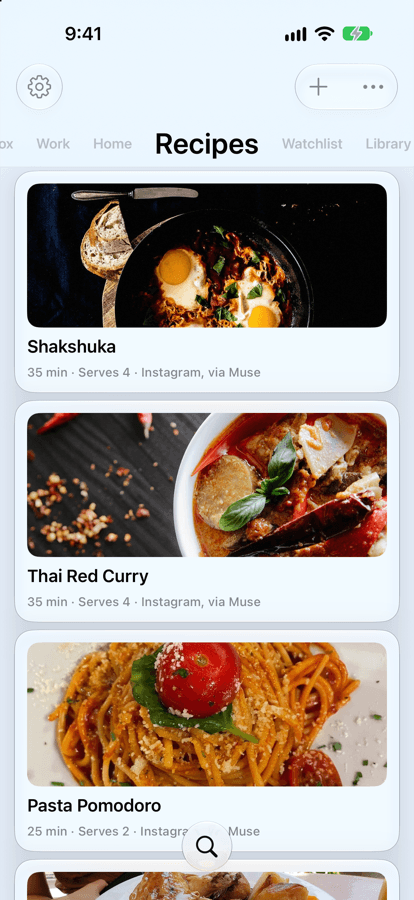
Turn saved posts into recipes
Go through my saved Instagram posts and put the recipes on my Recipes board.
Muse
Added 4 recipes, with photos, ingredients and steps. Shakshuka is first.
Each one opens with a cooking mode that walks you through the steps, and reads them aloud.
Plan a trip from your bookmarks
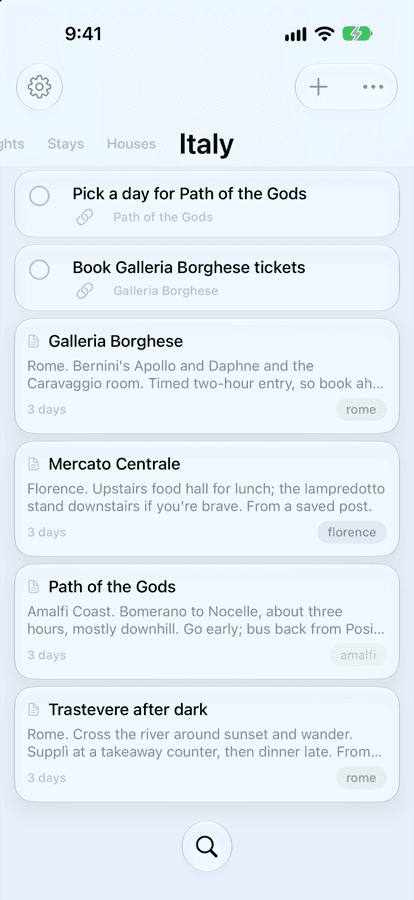
Go through my saved posts for things to do in Italy and make a board.
Muse
Made an Italy board with places in Rome, Florence and the Amalfi Coast, and tasks for what needs booking.
Tick things off as you go. Ask Muse later what's left to book, and it checks the board.
Keep the house hunt in one place
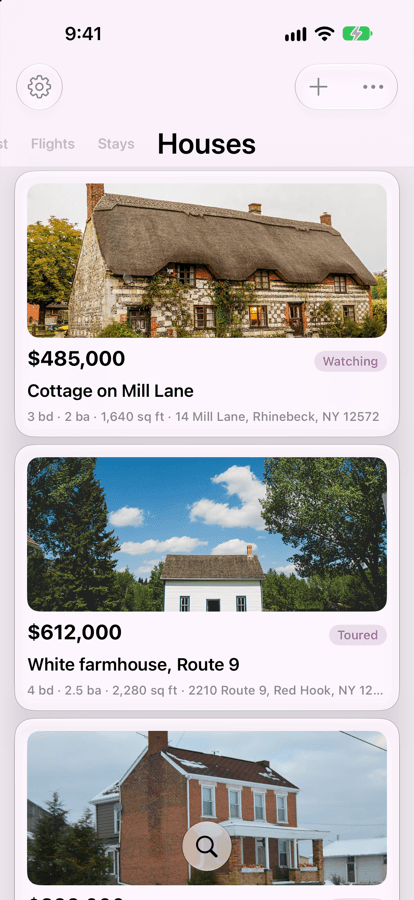
Save this listing to my Houses board.
Muse
Saved the cottage on Mill Lane: $485,000, 3 bedrooms, with the photos. I've marked it Watching.
Every listing in one list, with price, photos and where each one stands.
Remember the book a friend mentioned
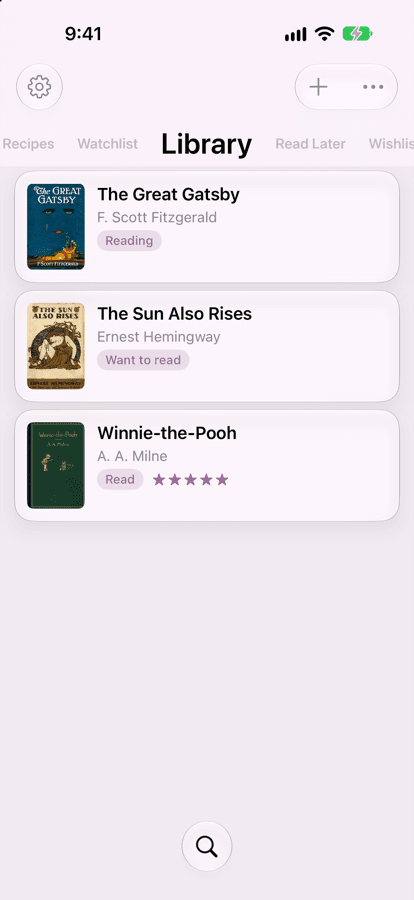
My sister says I have to read The Sun Also Rises.
Muse
Added to your Library as Want to read, with the cover.
Next time you're stuck for something to read, it's there.
Pick something to watch
What's up next on my watchlist? Something short.
Muse
Sherlock Jr. is 45 minutes and next in line. Want me to mark it as watching?
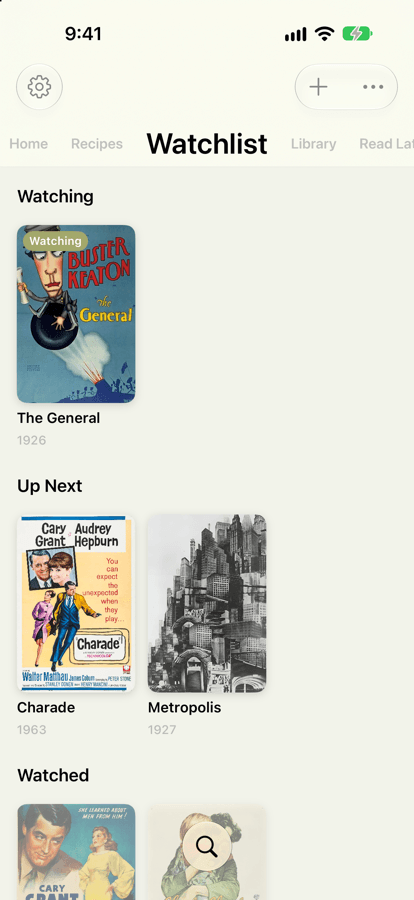
Shows and films on a wall of posters, grouped into Watching, Up Next and Watched.
Save the article for later
Save this article to read later.
Muse
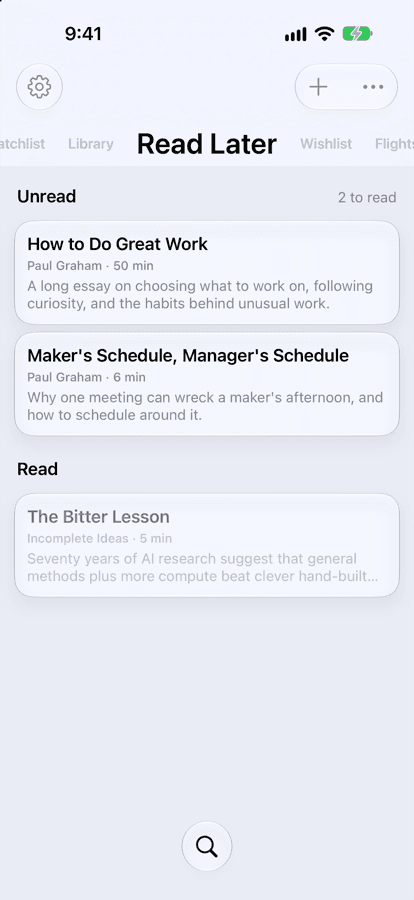
It's on Read Later. About 50 minutes.
It opens straight into a clean reader when you have the time.
More to ask.
Muse can keep an eye on things, check them again later, and come back with what changed. Kyle is where the results land.
Eating
Watch my saved Instagram posts and messages, and add any new recipes to my Eating board.
Wishlist
Check what's on my wishlist and tell me if a coupon comes in by email or you find a deal on anything.
Library
Get the past picks from my book club's page and put them in my Library.
Austin trip
I want to try the restaurants in Austin that Maya recommended. Put them in a list and link it to my Austin trip.
Wishlist for Bruno
Save the dog toys and treats I bookmark to a wishlist for Bruno.
Girls Trip
See if the Airbnbs on my Girls Trip board are still free for May 2 to 5, and save flight options to my Flights board.
Watchlist
Add the shows people recommended in the group chat to my Watchlist, and note who said what.
Read Later
Find the articles I saved this week and put them on Read Later, shortest first.
Houses
Compare the houses on my board and tell me which ones fit our budget and have three bedrooms.
Eating
Pick three recipes from my Eating board for this week and make a shopping list.
How to ask.
A few habits that get better results.
- Name the board
- “My Recipes board”, “a wishlist for Bruno”. If the board doesn't exist yet, Muse can make it.
- Say what matters
- Prices, dates, who recommended it, what's left to book. Whatever you mention is kept with the note.
- Ask it to keep going
- “Watch for”, “keep checking”, “every Sunday”. Muse comes back to it, and the board stays current.
- Ask about what you kept
- “What's left to book for Austin?” “What did Maya recommend?” Muse reads the board and answers.
Not connected yet?
It takes about a minute, all on your phone. In Kyle, open Settings → Connect AI → Muse.
How to connect